

In partnership with

Date: Sunday, November 8, 2026
Hey {{first_name | AI enthusiast}},
Businesses are pouring money into AI, but where is it actually paying off? Menlo Ventures’ latest report points to a few places pulling well ahead, and a useful clue about why.
This week, we unpack what that means for your business, look at AI’s growing role in cybersecurity and creative work, and share a prompt to help you turn one of your own tasks into a practical AI workflow.
In this edition
Best regards,
PS: If you want to organize corporate AI training for your employees »
THE BIG STORY
Enterprise AI spending is surging. Here is where the money is going.
Businesses are spending at an estimated annual rate of $176.8 billion to deploy AI, up from $33 billion a year earlier, according to Menlo Ventures. The venture firm says agents are helping drive the increase as AI moves from answering questions to carrying out multi-step work.
Four findings from its 2026 report stand out:
$176.8 billion: estimated annualised enterprise AI deployment spending as of September 2026.
76%: coding and enterprise chatbots’ share of the estimated $77.3 billion AI application market.
69%: Anthropic, OpenAI and Google’s estimated share of enterprise AI deployment spending.
55%: the share of incremental AI spending that Menlo says came from new budgets.

Key graphs from Menlo Ventures blog post
Menlo argues agents work best when they can use connected systems, draw on useful context and check their results. Coding offers an example: agents can work in a repository and use tests to check their changes.
The figures are Menlo’s estimates, built from a survey of nearly 400 U.S. enterprise decision-makers, public filings and other sources. Its spending figures are annualised run rates, not audited market totals. Menlo is an investor in companies discussed in the report, including Anthropic and OpenRouter.
So what? Pick one recurring task, such as reviewing support tickets or preparing a sales brief. Check whether AI can reach the information it needs and whether a person can verify the result. Use that task as your first test.
OpenAI’s cyber model helped researchers find Firefox flaws
OpenAI says GPT-6 Cyber helped researchers identify 81 previously unknown high-severity vulnerabilities in Firefox and develop exploits for 948 Linux kernel vulnerabilities. Mozilla has released fixes for many of the Firefox issues, according to OpenAI.
The model is designed for authorised security research. OpenAI reports a 48.5% score on its ExploitGym test, compared with 32.1% for GPT-5.6 Cyber. It is initially available through the API and Codex to selected approved Daybreak Red customers.
So what? If your team uses AI for security testing, start in a defined test environment with a written list of permitted targets. Ask a security specialist to verify each finding before treating it as a real vulnerability.
METR finds AI is speeding up AI research at Anthropic
AI evaluator METR spent 11 weeks with high access at Anthropic to assess whether AI is speeding the company’s research and development. It estimated that progress on well-defined internal tasks had roughly doubled, while acknowledging uncertainty about how far the result applies beyond the work studied.
METR also found no clear evidence of major near-term bottlenecks in the areas it examined. The assessment is specific to one company and does not guarantee that the same pace will continue.
Perplexity moves from one-off prompts to ongoing agent goals
Perplexity has launched Teammates, agents designed for ongoing goals rather than one-off prompts, according to ArtificialWatch’s account of the announcement. The initial release is for Max subscribers on the web.
The report says users can review and redirect the work, and that agents use existing project and tool permissions. It also notes that details including underlying models and long-term usage pricing have not been published.
So what? Try an ongoing agent on a low-risk task, such as monitoring public competitor announcements. Set a spending limit and ask it to prepare a summary for review before it contacts anyone or changes a record.
The holiday streaming season is almost here

Are you ready? As revealed in our holiday playbook, Roku Ads Manager lets you easily set up, measure and optimize your self-serve holiday ad campaign. You can even create a shoppable ad unit that lets streamers buy directly from their remote.
Google and OpenAI make creative revisions faster
Google says Gemini Omni 1.2 Flash can generate video clips up to 15 seconds and revise them through follow-up instructions. Its published price for 720p video is $0.07 per second, 30% below the previous version.
OpenAI’s Images 2.6 adds GIF creation and, through its API, image markup and SVG export. OpenAI says image generation is 50% faster than before.
A marketing team could test a product image, revise a specific detail and create a looping social asset, then compare editing time and cost with its existing process.
So what? Choose one campaign asset your team produces regularly. Make a version with these tools, then compare the total cost, editing time and approval rounds with your existing process.
Attio is the #1 fastest-growing CRM on Brex and Ramp

Built for the most ambitious companies in GTM, Attio is an end to end revenue platform that allows teams to run multiple plays across different revenue motions and lifecycles.
Teams at the frontier are already building on it: Granola, turbopuffer, Modal, and many many more.
A prompt to plan an AI workflow before it runs
Use this prompt to turn an idea into a workflow you can test. Replace the bracketed text. For example, you might ask AI to sort customer-support tickets by theme and draft a weekly summary, while keeping customer replies subject to your approval.
You are an AI workflow designer. Help me plan a useful workflow before any automation is turned on.
Outcome: [the result I need]
Starting material: [files, data and systems]
Actions allowed without asking: [for example, read, classify and draft]
Actions that always require approval: [for example, send a reply or change a record]
Actions never permitted: [for example, share customer data outside the company]
Quality standard: [how I will recognise a good result]
Give me:
(1) the workflow in numbered steps;
(2) the minimum access needed;
(3) three likely failure modes and checks;
(4) a simple audit-log template;
(5) a dry run using fictional data; and
(6) any questions you need answered before launch. Do not carry out the workflow or turn on automation.
Seen on X:
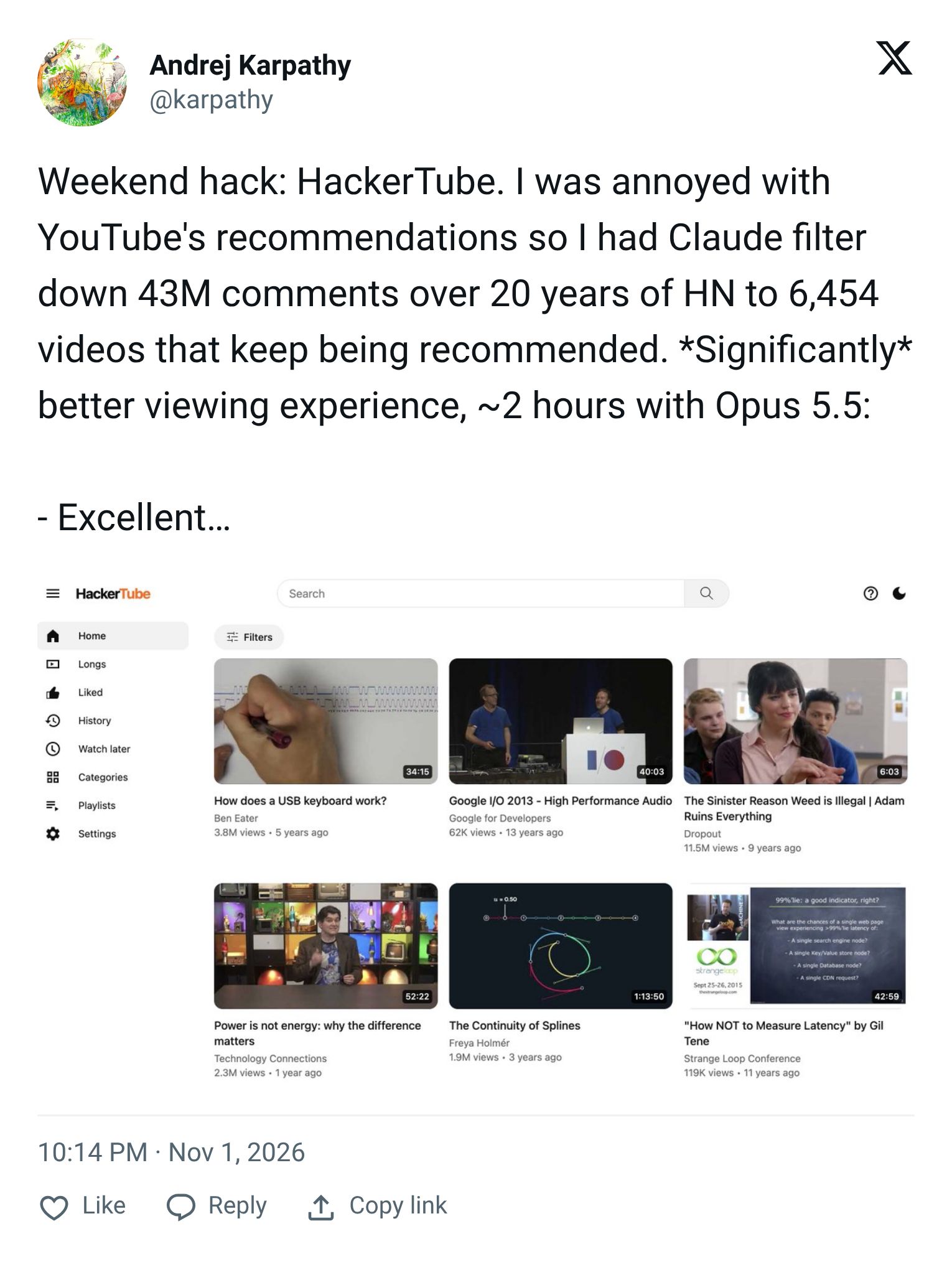
Karpathy uses AI to sift a large archive
Andrej Karpathy described using Claude and Opus 5.5 to sift 43 million Hacker News comments into a curated video list. The example shows how AI can narrow a large review task, with the selection criteria still worth examining.
So what? If you use AI to sift a large collection, inspect a sample of items it rejected as well as those it selected. That check can reveal useful material your criteria missed.
Claude’s bank-data post draws attention
A Claude post about reading bank-account data drew 10.93 million views in Data Empower’s 8 November snapshot. The post raises a practical question for any AI product handling sensitive information: can users see what it can access and change?
So what? Before connecting financial data to an AI tool, check what it can read, whether it can make changes, how the data is used and how to revoke access. If those answers are unclear, wait before connecting.

References
How did you like this edition?
- Love it |
- Ok |
- Thumbs down